Where 3D work gets reviewed, approved & shown off
Stand out with review links and embeds as polished as your work, and get sign-off faster. Models, images, videos, the whole shebang. No email ping-pong. No 3D gymnastics.
Try it free without a card
How it works
Three steps.
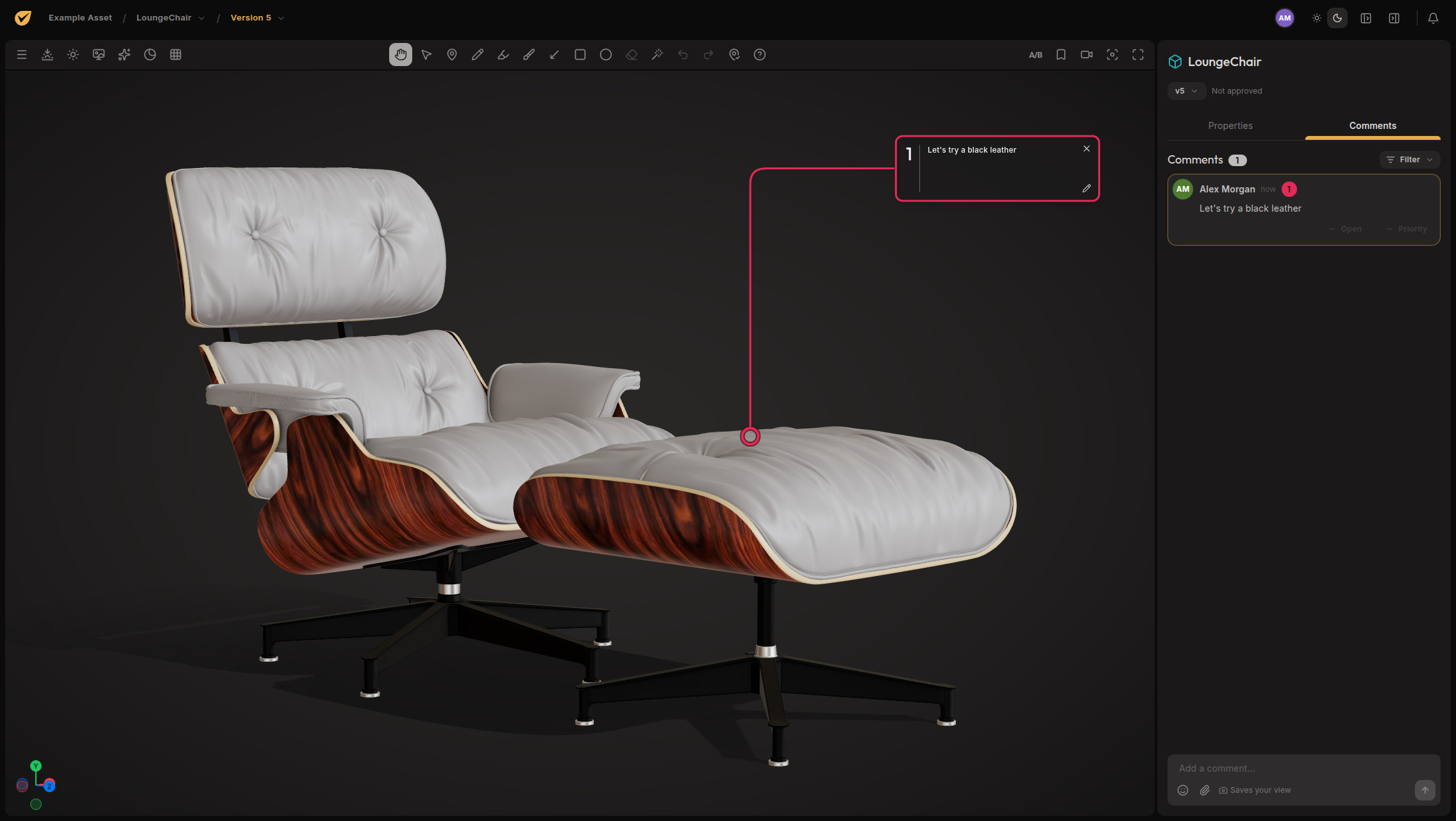
Feedback without the archaeology.
Send it from Blender, share one link, and get feedback pinned right where it belongs.
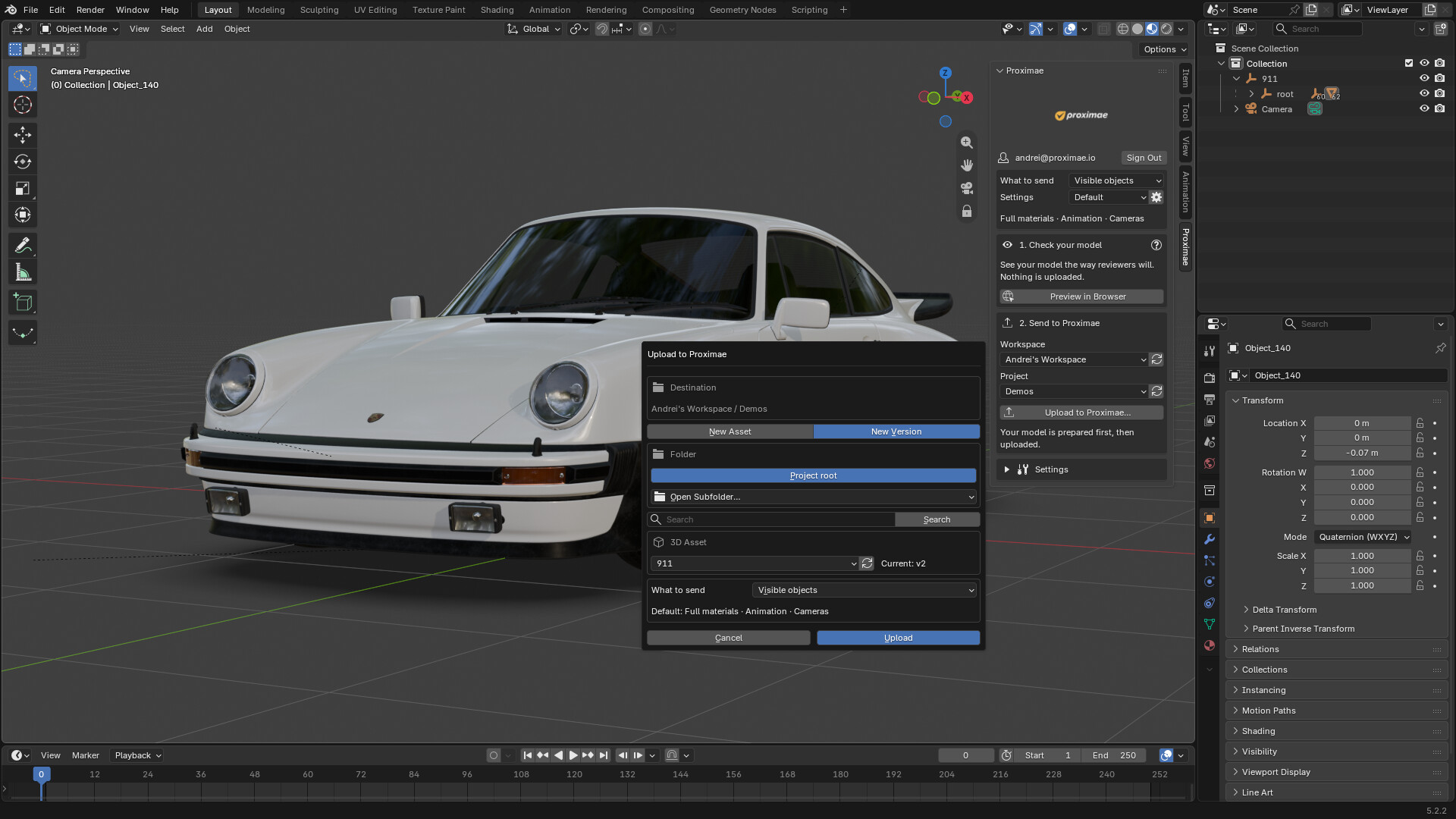
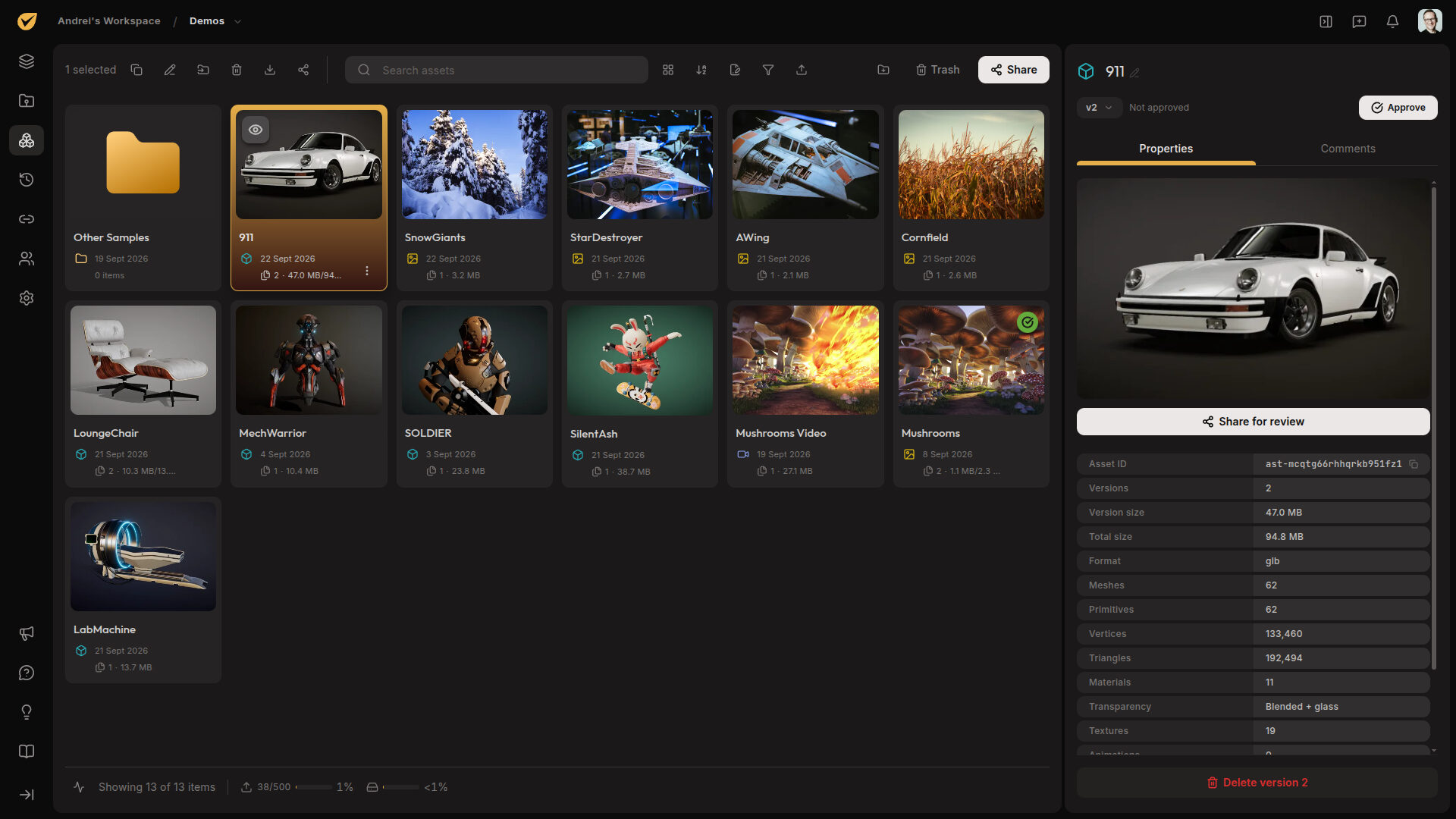
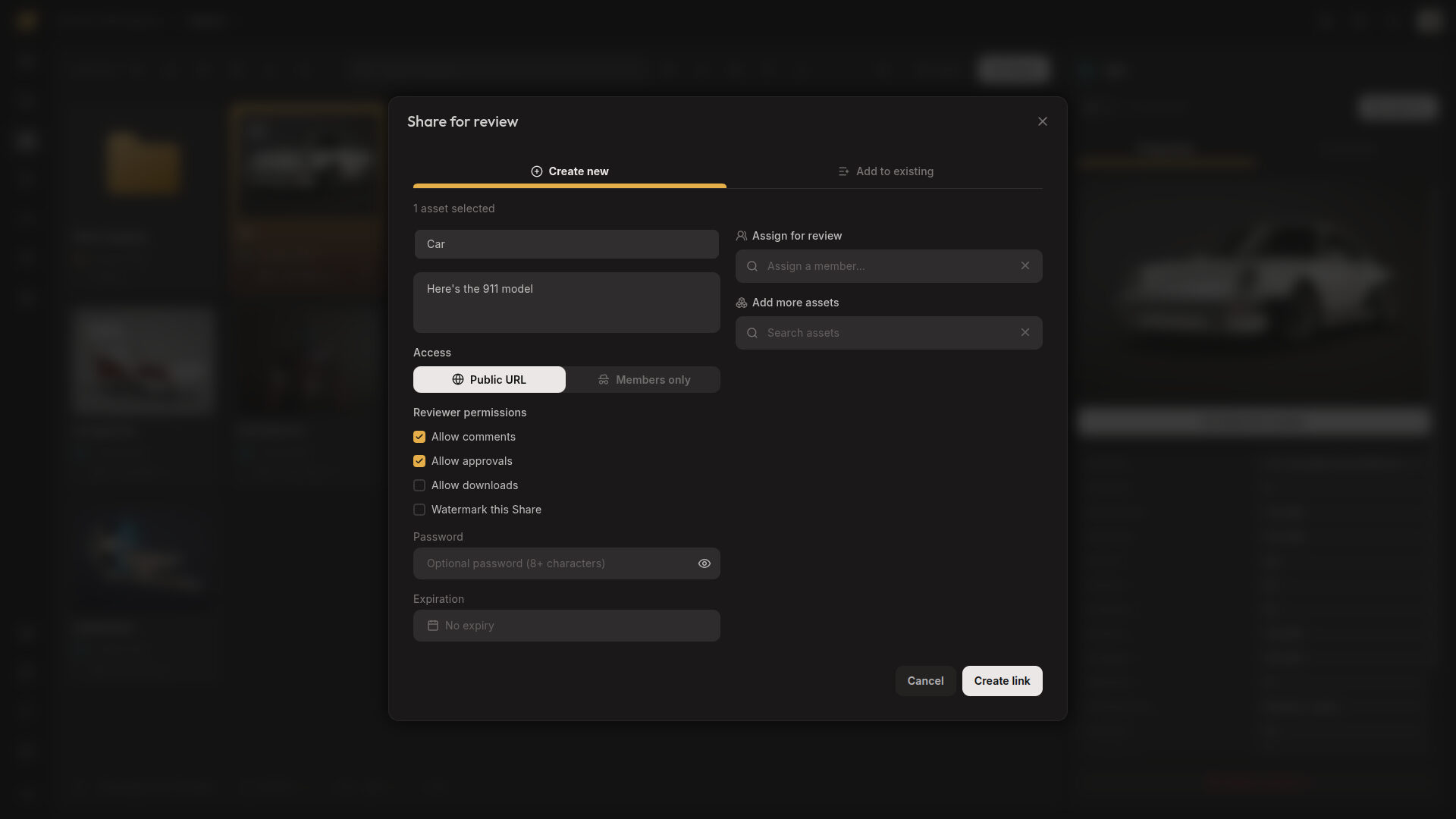
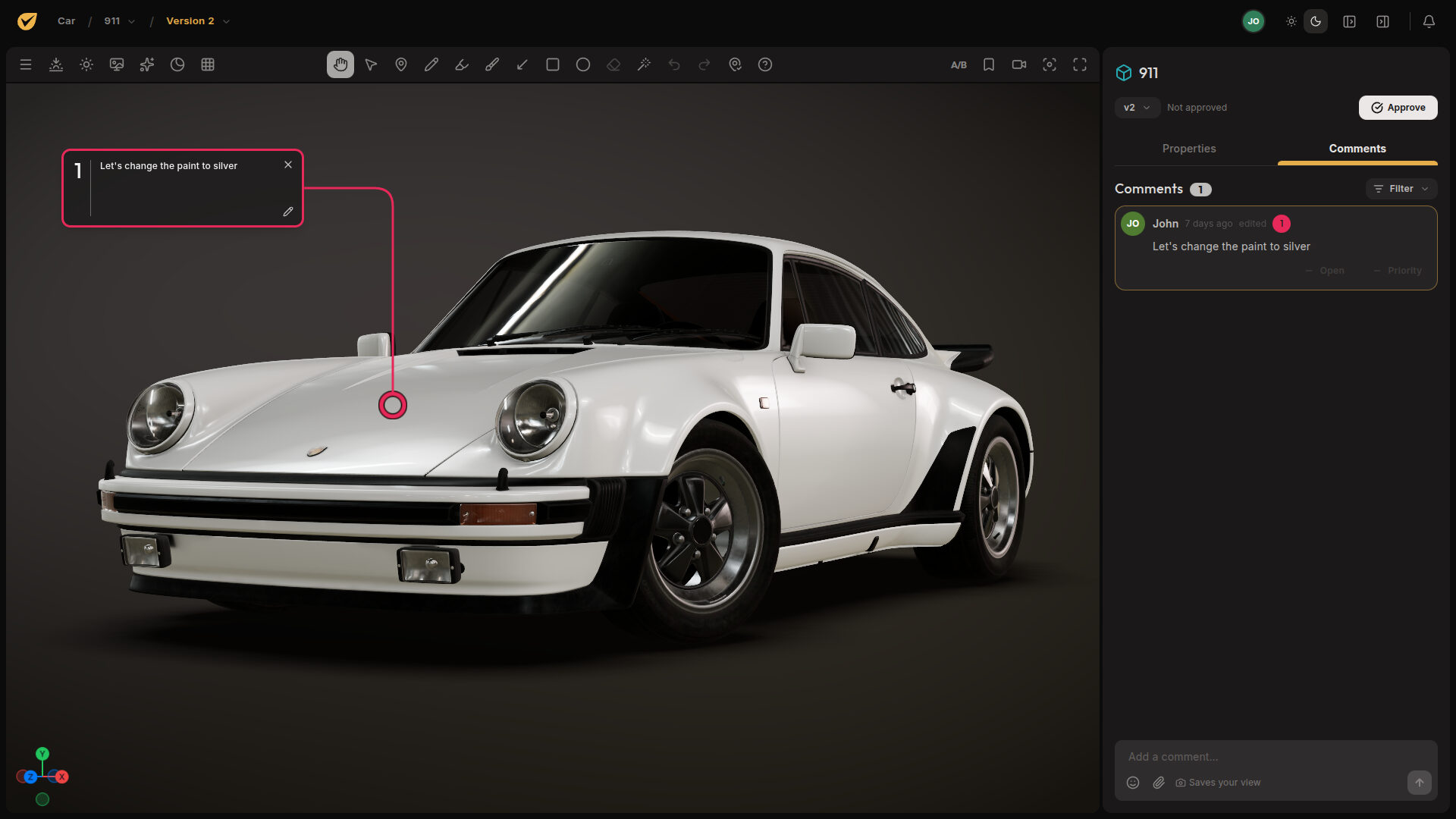
Import & Prepare
Send it straight from Blender. Nothing to export, zip, or upload by hand.
3D model by Lionsharp Studios
Why Proximae
Look sharp.
Skip the feedback circus.
Present your work like the professional you are, get clear feedback the first time, and save everyone time and money.
Beautiful
Your work, shown at its best.
Your client forms an opinion before they leave a comment. Give them a polished, fast review on desktop, tablet, or phone, with nothing to download or install.
See how it works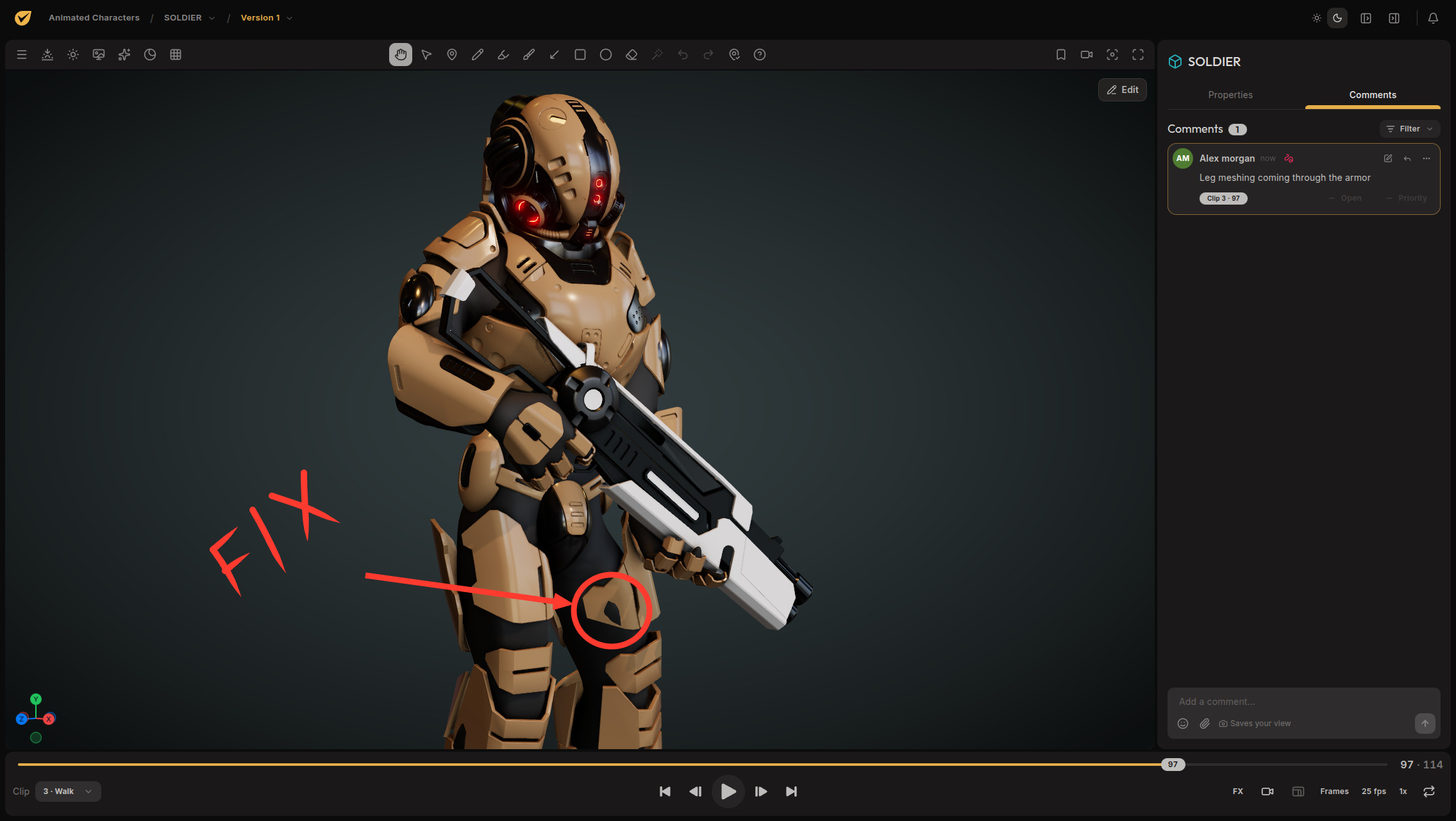
Time saved
Every round you skip is money back.
Feedback lands on the exact spot, angle, or frame, so nobody burns a round decoding "the bit on the left." Spend the evening on the model, not the inbox.
See how it worksShare and embed
Share it, then show it off.
Once the work is ready, the model can be published to your website or your client's website with one snippet. No complex software to learn. This one is live, so give it a spin.
See how it worksSecure
The only models here are yours.
Your files stay in private storage, and nothing is public unless you share it. We do not use your work to train AI. You decide who can view, comment, approve, or download, and Pro and Team can watermark what leaves the studio.
Who made this
Built on years of experience.

I'm Andrei. After more than 20 years of making and supervising 3D work, I built Proximae around what artists, clients, and managers kept asking me for.
Meet the founderFree 3D viewer
A proper 3D viewer, on the house.
Check any GLB, glTF, FBX, or OBJ model locally with the same modern renderer we use for reviews: layered transparency, ambient occlusion, bloom, and a materials panel. It runs in your browser, and your model stays on your computer.
It is free because checking your work should be. When you are ready to share it for review or embed it, that is when you create a Proximae account.
Open the 3D viewerYour work is professional.
Your review process should be too.
Upload one model, send one link, and see if you love it as much as we do.
Credits
3D model “FREE 1975 Porsche 911 (930) Turbo” by Lionsharp Studios, licensed under CC BY 4.0. Modified.